
Groov EPIC shows "No application" and CODESYS won't boot after power cycle with weak/missing battery

Hi everyone,

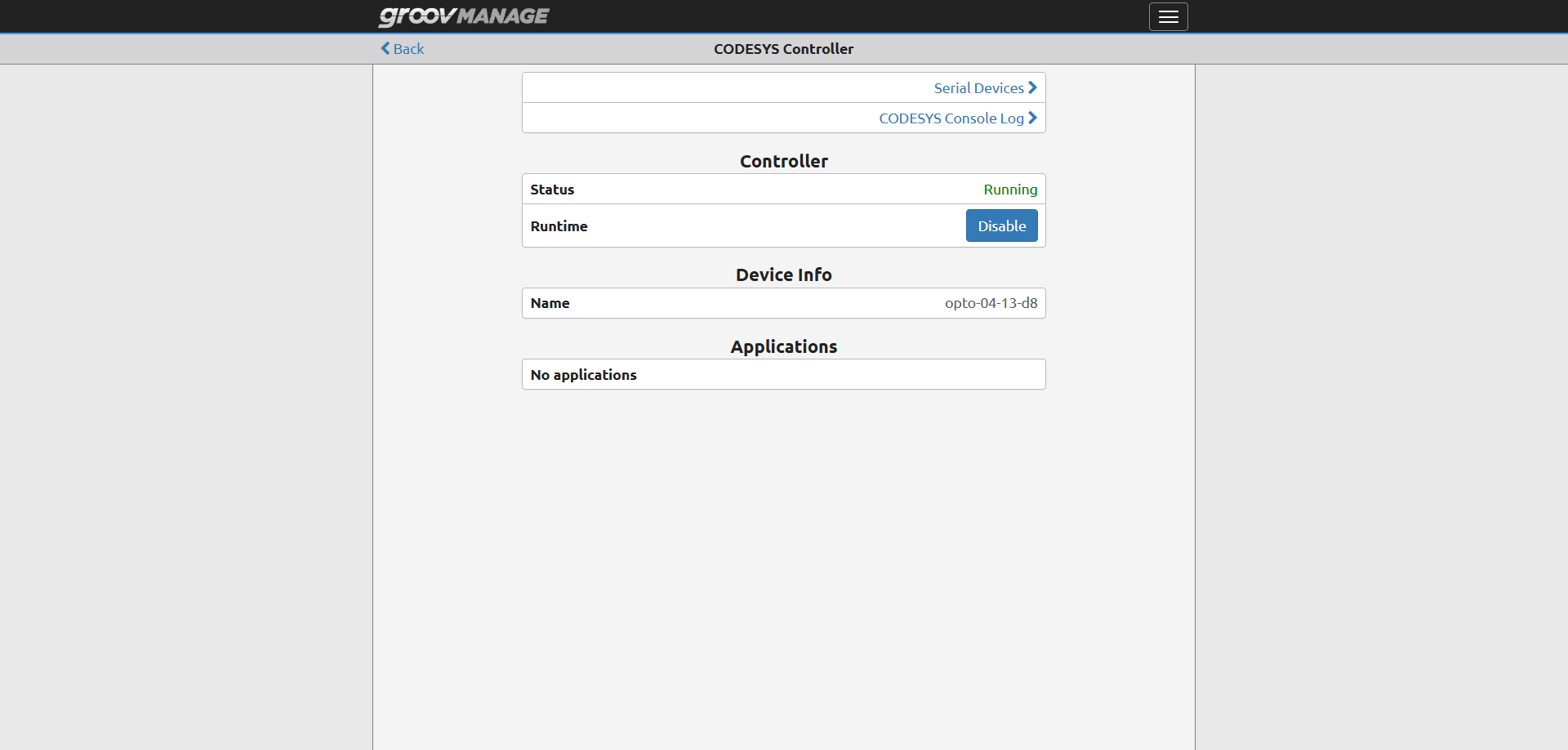
I’m running into a frustrating issue with CODESYS on a Groov EPIC unit. Whenever the device experiences a low battery condition or is booted up with no battery inserted, followed by a power cycle (turning the main power off and back on), the CODESYS runtime fails to boot, and Groov Manage shows “No application”.
Initially, I suspected this was related to persistent variables. My theory was that a missing or weak battery fails to retain persistent data, causing a checksum mismatch during startup, which might force CODESYS to refuse to start.

To test this, I uploaded a fresh, completely blank CODESYS program (with zero persistent variables) and power-cycled the unit. Unfortunately, the issue persisted—upon rebooting, Groov Manage still showed “No application,” and CODESYS wouldn’t boot, requiring me to manually re-download the project from the CODESYS IDE every time.

System Details:

  • Hardware: Groov EPIC (Model: GRV-EPIC-PR1)

  • Firmware Version: 4.1.2-b.155

  • CODESYS Runtime Version: 3.5.21.40

Troubleshooting Steps Already Taken:

  1. Tested with a blank project (no persistent variables) to rule out persistent memory checksum errors.

  2. Verified that a hard power-cycle (turning main power off and back on) consistently drops the boot application when the battery is not inserted.

Why would a hard power cycle wipe or ignore the boot application when no battery is present, even on a completely blank project?

Any guidance or advice would be greatly appreciated. Thanks in advance.

Razi.
Have you tested the case of power cycling the unit with a good battery to support your hypothesis that this only happens with a low or no battery?

In your original post you said that codesys fails to boot, but the screenshot seems to contradict that and shows that codesys is running but that no applications are running. Is that the case?

Is the license installed? Are there any logs saying codesys is running in demo mode?

thanks for the reply John.

  1. Yes, I have tested this. When a good battery is present, power cycling the unit works completely fine and the application persists/boots up as expected. The issue specifically occurs when booting up with a dead, or missing battery followed by a hard power cycle.
  2. You are completely right that was my mistake in wording. CODESYS itself is running, but Groov Manage / the runtime shows “No application” loaded.
  3. Both the Groov EPIC and CODESYS runtime licenses are fully installed. I checked the logs, and there are no indications of CODESYS running in demo mode.

I have attached the relevant system logs below for review

codesys log.zip (4.9 KB)

Since the CODESYS persistent data is stored in battery-backed RAM, it will be lost. If the CODESYS boot application depends on persistent data, it will not be loaded. A message to this effect is placed in the CODESYS controller log. Other data is stored on the SSD and will not be affected even if the battery is dead on power cycles.

A little background on the EPIC battery. It doesn’t do anything when the unit is powered. The battery only powers the RTC (real-time clock) and battery-backed RAM (Persistant variables) when the unit is powered down. When the battery is dead, the unit will still function normally.

However, if the power is cycled and the battery is dead, the date/time may be lost, and the battery-backed RAM will be cleared. You can configure NTP so the date/time can be retrieved from a time server.

Since power is drawn only from the battery when the unit is powered down, once the unit is installed, the battery will last for many years, assuming the unit remains powered for most of the time. On systems when the unit is powered down for long periods, the battery will need to be replaced more often.

The battery should be replaced when under 3V. This is because of the nature of battery drain. At the end of their life, voltage drops rapidly, and they quickly reach a point where they no longer power the EPIC components. A new battery will read 3.5V, for example, a unit with a battery reading of 2.9V is still working properly but is very close to the end of its useful life.

If you are running newer firmware, the battery voltage can be checked in groov Manage. Browse to:

Home > Info and Help > System Status

The steps to replace the battery start on page 272 of the EPIC User’s Guide:

Opto 22 - 2267 groov EPIC User's Guide

Be careful when replacing the batteries. This requires removing and reinstalling the EPIC processor from the chassis. If great care is not taken, this step can damage the pins on the processor connector. The steps are on page 14 of the above guide.

The battery is a BR2032. Note that this is different from the ubiquitous CR2032, which has a smaller temperature range.

I wonder if you can pinpoint whether the issue is due to clearing nvram or resetting the real time clock. If you have a unit with a good battery, could you run a test where you manually desync the clock but allow the battery backed nvram to maintain power and then cycle power to the unit to see if the Codesys application auto starts? In other words, simulate resetting the clock but preserve nvram.

I have used a raspberry PI, which without modification does not include an RTC or battery, and there is a software package that improves the experience of not having an RTC, called something like fake-hw-clock. With this software package the system time is stored on shutdown and restored during the next init. For this to work on an EPIC unit, which cuts power, you may need to periodically atomically move the stored time from a temporary file for fault tolerance. This would probably be a custom modification to fake-hw-clock.

I haven’t confirmed this workaround would improve your issue, but if you decide to make the effort and observe an improvement will you report your results back to the forums? A fault tolerant fake-hw-clock might help other users and improve EPIC.

My hypothesis for how this bug would be fixed is a guess that Codesys may not allow applications to auto start with a clock that has gone backward from time of deployment, and a fake hardware clock would prevent the clock from going significantly backward.

thanks for the suggestion John, I have conducted a few test just like you mentioned.

log time stamp and action taken:

2026-10-27T01:47:01.945Z - initial boot, upload program, current time

2026-10-27T02:00:51.879Z - first reboot, whitout changing anything

2026-10-27T02:01:56.997Z - second reboot, after changing time backward to 2019, but NTP took over and chg back to 2026. EPIC is not even connected to internet.

2022-04-28T17:42:54.170Z - third reboot, after changing time backward to 2019 with ntp diasbled, result: date become 2022-04-28

2026-10-27T02:21:47.107Z - fourth reboot, after changing time to current

2030-10-27T02:21:46.610Z - fifth reboot, after changing time to the future 2030

the application loaded just fine with all reboot, so I dont think its about the clock.

I also attached the logs below for review, and the project archive of the blank project that I used.

codesys (4) clipped.zip (7.2 KB)

4.1.2-b.155.com.projectarchive.zip (510.4 KB)

Ive conducted a few test just like what John mentioned.

log time stamp and action taken:

2026-10-27T01:47:01.945Z - initial boot, upload program, current time

2026-10-27T02:00:51.879Z - first reboot, whitout changing anything

2026-10-27T02:01:56.997Z - second reboot, after changing time backward to 2019, but NTP took over and chg back to 2026. EPIC is not even connected to internet.

2022-04-28T17:42:54.170Z - third reboot, after changing time backward to 2019 with ntp diasbled, result: date become 2022-04-28. EPIC doesnt even have internet connection.

2026-10-27T02:21:47.107Z - fourth reboot, after changing time to current

2030-10-27T02:21:46.610Z - fifth reboot, after changing time to the future 2030

The application loaded just fine with all reboot, so i dont think its about the clock.

I attached the log and the blank codesys program archive i used.

codesys (4) clipped.zip (7.2 KB)

4.1.2-b.155.com.projectarchive.zip (510.4 KB)

(Reposting my previous reply as it didn’t seem to show up here)

With the low/no battery, have you verified in the Codesys IDE that the application is not running? Is it possible the UI in groov Manage is errantly reporting the application is not running when the Codesys IDE reports otherwise?

Hi John,Thanks for following up.

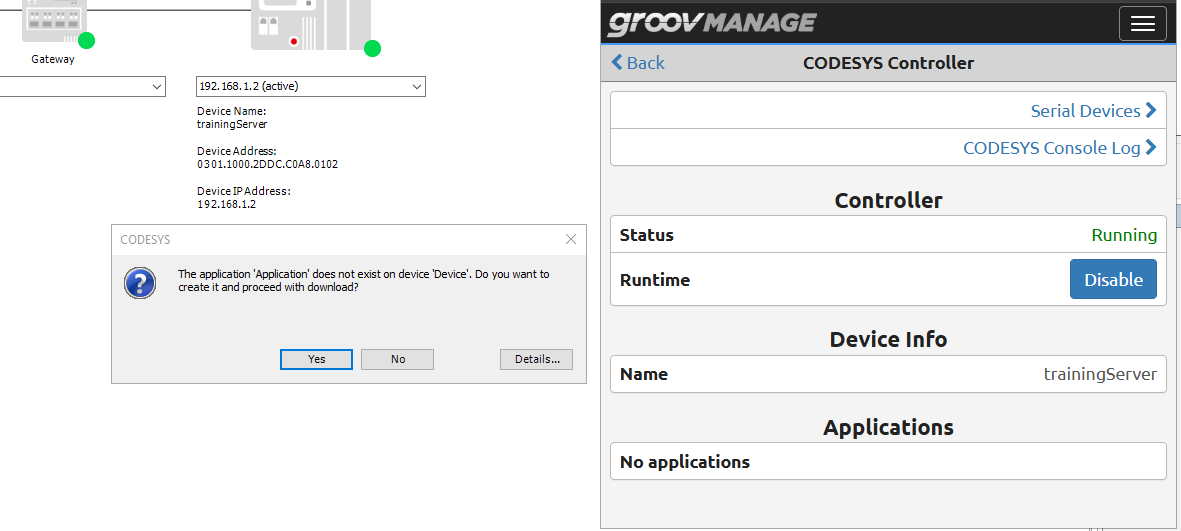
I can confirm the application is truly gone and it’s not just a Groov Manage UI glitch.When trying to log in, the CODESYS IDE explicitly prompts that “The application ‘Application’ does not exist on device,” and Groov Manage shows “No applications” under the controller status.

Here is a screenshot showing both sides:

If your PR1 is still with a bad battery or no battery, then what you see is exactly how it should be.

When the internal battery of the groov EPIC is dead or defective and the controller undergoes a power cycle, the following sequence occurs:

  1. Loss of battery backed SRAM Content:Without battery power, the battery-backed SRAM—which stores persistent variables—is completely wiped during the power loss.
  2. Checksum (CRC) Mismatch:Upon reboot, the groov EPIC firmware detects that the data integrity of the persistent memory area is compromised and no longer matches the expected configuration of the boot application.
  3. Automatic Application Sanitization:To prevent unpredictable machine behavior or dangerous malfunctions caused by corrupted variables, the CODESYS Runtime Engine is designed to deliberately discard and delete the CODESYS boot application from the controller. Instead of loading an application with invalid memory data, the system resets to a clean, empty state for safety reasons.

CODESYS applications that don’t use persistent variables, the boot application survives power cycles, even if the battery is dead.

1 Like

Thanks for explaining the intended safety mechanism and how the memory check is designed to work.

However, regarding that last point, my testing actually showed different results: even when using a completely blank program with zero persistent variables, the boot application was still wiped out upon a power cycle when the battery was absent.

(Though, to be completely fair, that’s assuming there aren’t any hidden persistent variables baked into default opto22 libraries or system templates that I’m unaware of)

Would you mind running a quick test on one of your own EPIC units when you have a moment? I’d love to know if you see the same behavior on your end, or if this might be specific to my unit.

Thanks again for looking into this

Note this was a linux industrial PC that I installed linux and the codesys runtime. So it was not an OPTO22 device but it might be related. Codesys has been working on their presistant variable mechanism and it is possible that they introduced some bugs.

I had an issue with Codesys not booting into the application after a power outage but it would work if the controller was shutdown gracefully. I looked into the codesys log files and it ended up being that the checksum of the persistant variables was not correct and so the application would not boot. You might be able to ssh into the controller and change the CODESYSControl_User.cfg file to have this line Bootproject.RetainMismatch.Exception = 1.

This would boot the controller with default values. For me, this is not an issue.