
I’ve attached a diagram of the steps. You can get the arrows from the SVG Library. The arrows are in the Symbols category. Select the arrow you want, then use Rotate 90 to get it pointing right, left, up, or down. Then download the image. I did this for a right pointing and left pointing arrow.
Next, use groov to create an image gadget. Place the gadget over your pipe. Assign each graphic to a state for you variable.
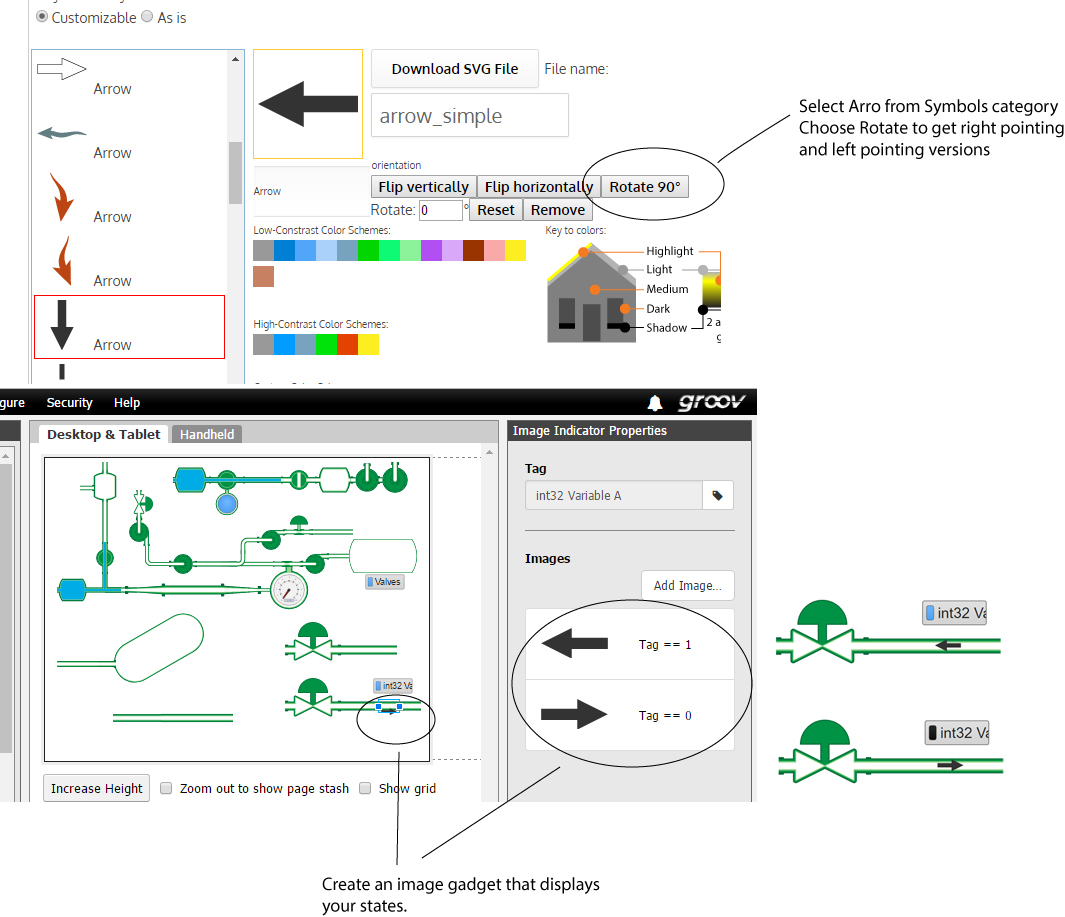
The arrow I chose lines up pretty well, but I didn’t create these arrows with a transparent border to ensure exact centering. I’ll correct this oversight. If I create an arrow so that it is guaranteed to align with the pipe graphics, then the same arrow my be inflexible when you try to position it near the edge of the page. So, when I create more arrows, I’ll leave the existing ones in the library.
jg