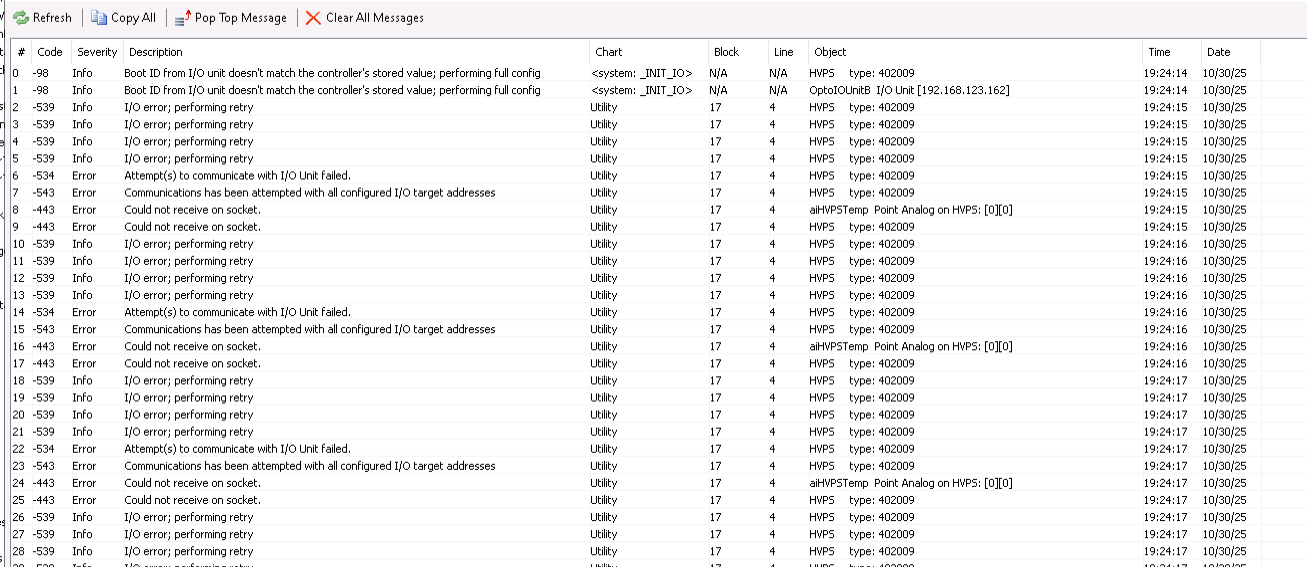
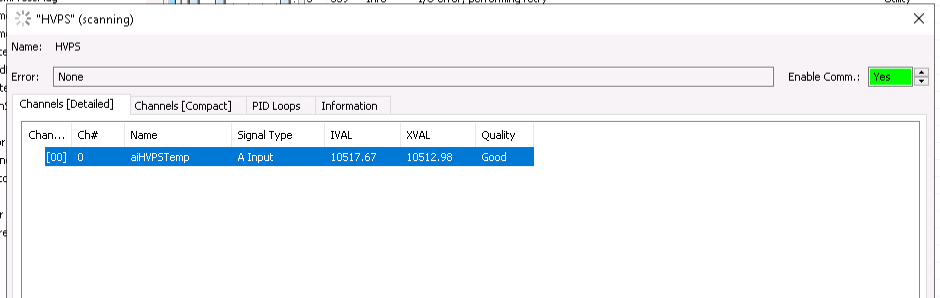
it looks like RIO not communicating with R1 in withing the strategy despite module being online and I can access it from PAC Control and from web browser. PAC manager do not show any issues with R1 or EB2. Voltages are all good.
If I disable few charts so the controller run say, 8 charts, errors disappear and strategy runs without issues.
I tried replacing cables, RIO, R1 controller, FW of different versions, Network switch, tried running PAC project on 3 different computers, have it on 2 different networks, 2 different setups - same result. All the settings on controller and RIO seems to be fine, I’m using RIO for IO only, nothing fancy.
I’m running out of options where to look. I would greatly appreciate any advice or suggestion.
This is difficult to analize from distance. That can have several couses.
Disabling 5 charts and only have 8 running is showing that the strategy runs the remaining 8 charts without issues, indicates that something is putting the PAC-R1 into a state not being able to communicate with the RIO anymore.
Does it have to be 5 charts being disabled to make it work?
Are you using IP address or hostname for the RIO in the PAC Control I/O unit configuration?
Perhaps it is only one particular chart that causes the problem
Definitely it is not a problem of the PC you are running PAC Control on.
You should send this to the Opto 22 support team. Provide them detailed information about your setup.
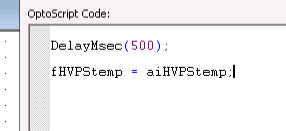
First thing that jumps out to me is in OptoScript the variable referencing your I/O on the RIO is not the same as it is configured on the RIO: aiHVPStemp → aiHVPSTemp.
Also the errors are returning a clue that the problem is originating from block 17 on line 4, which is where you are declaring the variable without the capital “T” in temp.
The mystery is that i tried everything and it still would give me these errors. Looks like something was blocking the communication.
All the compilation went without the issues and the Capital letter in variable name should not cause the problem I guess. I tried anyway and it did not help.
Depending on the number of charts running it might work but might return a consistent error. BTW I tried all available FW to no avail.
After a weekend of testing I think I found the solution, but still struggle with understanding what exactly causing the problem.
The problem: rio gives a lot communication errors and looses communication all together when accessed from R1 Gen2.
The setup: R1 starts powerup chart and that chart starts 12 other charts one of them have a RIO communication in it. What exactly I’m doing with RIO does not matter, even a simple read will return the error and comm will fail.
Empirical solution of the problem: if any of the charts start before the one with RIO communication rio FAILs, if I move the RIO containing chart to be very first on the “StartChart” list communication is established, none of the errors appears and all seems to work as designed.
So this is what I’m basically doing right now - starting RIO containing chart first and the rest of charts (serial comm, PIDs, etc.) next. Literally next line, no delays, nothing.
Why it works this way - have no idea. Hopefully someone from Opto22 can chime in.
It works for my particular setup with my particular network/network issues. Not sure how general this solution is for everyone else.