
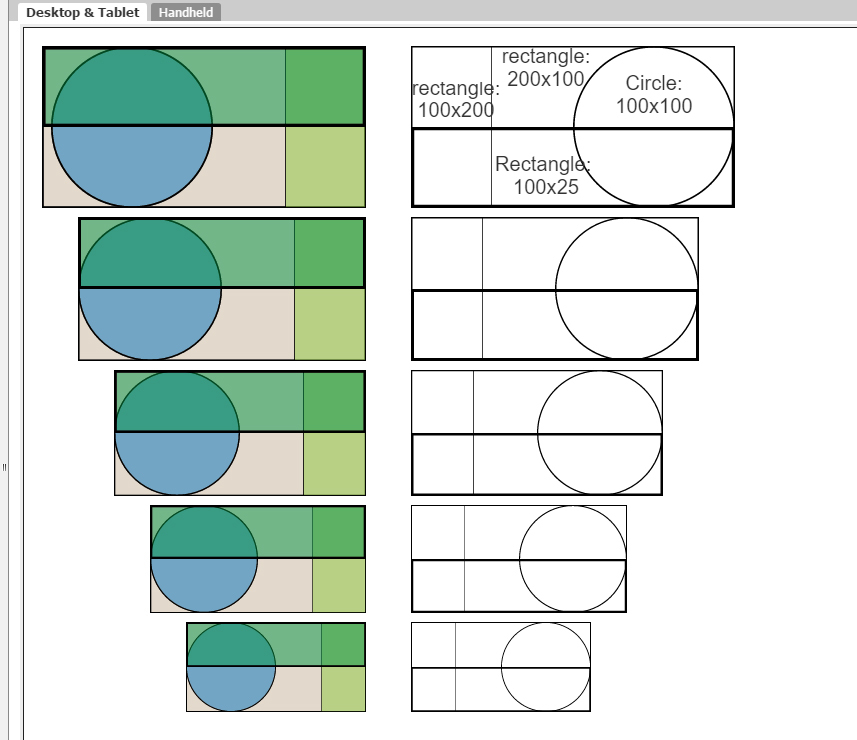
I’ve created some graphics that show what you can do to make sure graphics you create will align. The important part is to make sure that the artboard, (total visible whitespace) is in dimensions that are divisible by 2. E.g., if you create a circle that is 1:1 (ratio, not pixels), a rectangle that is 2:1, a rectangle that is 1:2, and rectangle that is 4:1, you will be able to scale these objects so that they line up with each other. On the right side, I’ve rescaled the images so their edges align at various sizes.

I can get the exact same results if I use different pixel dimensions but with the same ratios, e.g., 100x100, 200x100, 100x200, and 100x25 (right column). The left images are 96x96, 96x192, 192x96, and 96x24 from the previous example.
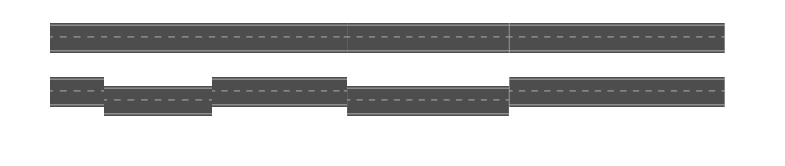
Here’s another example: The road sections are the same height but the widths are 100px, 200px, 250px, 300px, and 400px. I’ve offset a second set to show the size of each graphic:
jg