Hello everyone.
I have a small problem with opening .txt file in Codesys.
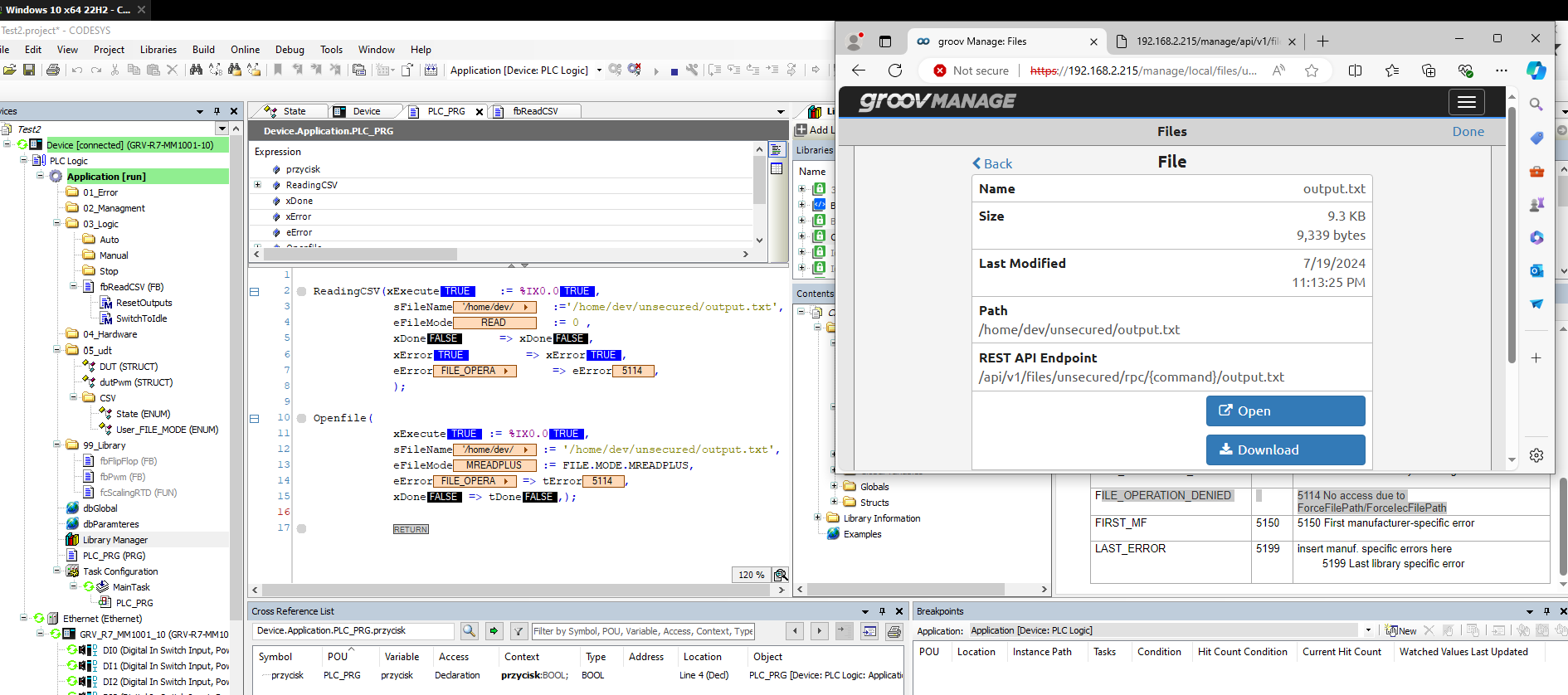
The file was created in the groov RIO, As you can see on the picture. Yes, the file exists in the groov manag in folder unsecured, but when I try to open it, I get the error message that 5114 No access due to ForceFilePath/ForceIecFilePath.
Guys, any ideas?? It’s driving me crazy.
P.S
I have opened codesys as an administrator.
Can you send me your projectarchive to take a look at this issue. It will probalby be to large to email, so a service such Dropbox, One Drive, WeTransfer, or Google drives will work. You can send it to greichert@opto22.com
1 Like
Good morning,
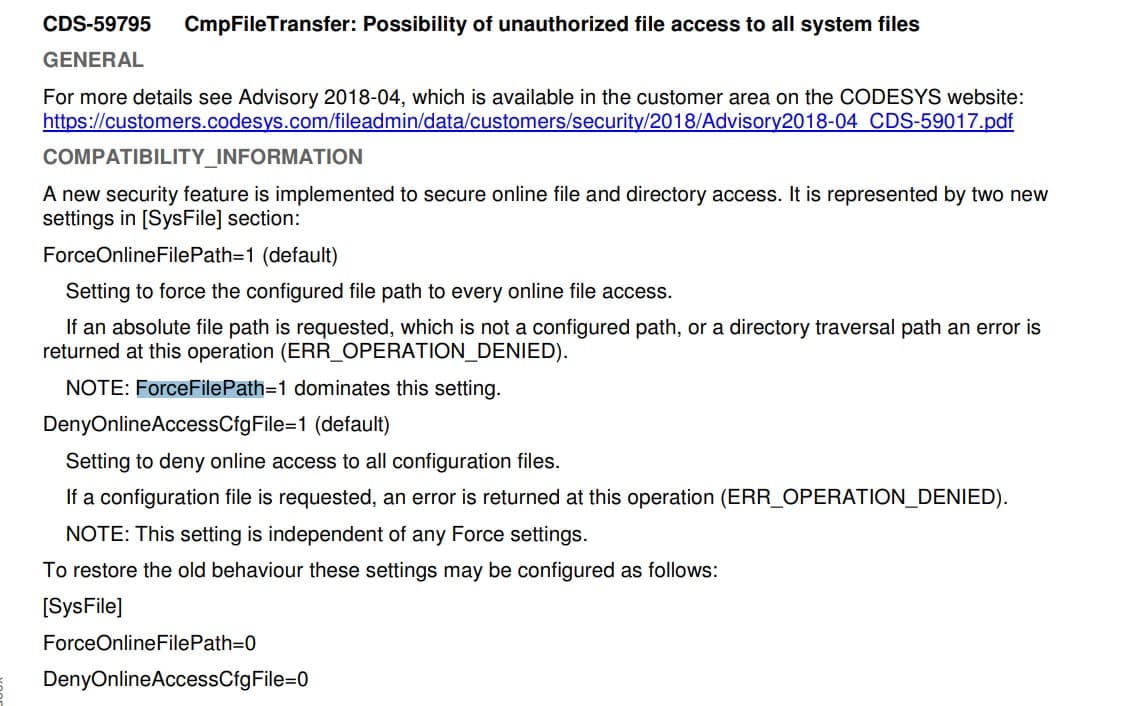
I have found the problem. Codesys doesn’t want to take a file from home/dev/unsecurw. I had to move it to home/codesys/output.txt. It is caused of a new security feature implemented to secure online file and directory access by codesys. Please find below more information.
1 Like
I’d like to revisit this topic.
The help note in groovManage says that codesys can access the unsecured folder, but I have not been able to make it work. I’m getting an access error when I try to open the folder /home/dev/unsecured in codesys.
As far as I can tell, the only folder that the codesys runtime can access is /home/codesys. That folder (/home/codesys) cannot be accessed from groov Manage or the API - again as far as I can tell.
I’m looking for a folder that can be accessed by both codesys and groovManage / API. Has anyone else solved this issue?
I’m experimenting with NodeRed, it does have access to the codesys folder, but I think that’s going to be a workaround - I would prefer API access.
Thanks!
You can create a symbolic link with shell access by running sudo ln -s /home/dev/unsecured /home/codesys/PlcLogic/unsecured then access it at unsecured/yourfile from Codesys or from groov Manage’s unsecured folder
2 Likes