I have 3 available user roles that can login into groov view: operators, editors and admins.
My start screen need to have 1 to 3 buttons on it : Run, Edit, Admin. Admin users can access all 3, editors can access the first 2, and operator only can access Run.
So far, the only way I know how to do this is to create 3 different screens and set the start screen for the different roles. this is not a big deal, however, after clicking the Edit button (for example), the user goes to another set of nested screens, some of which need to return the the start screen. So if the user is an editor, the need to return to the editor’s screen, and admins need to return to the admin screen.
If I could set the visibility of a button based on the user role, this would not be an issue, but I haven’t see a way to do that.
Is there a simple way of handling page navigation for different user roles, or am I faced with creating a complete set of screens for each role?
From what I can recall (correct me if I’m wrong @Jonathan_Fischer) navigation buttons that lead to a page the user does not have permission to access should not render at all. So if you have an admin-only home screen, and link that in another page, then that button will only appear to users logged in as admins.
So a possible work around could be to have all three admin, editor, and operator home page navigators; admin would have all three buttons, editor would have two, and operator would only see the one. Then it would be up to the user to hit the correct / highest permission home that’s available to them.
@torchard is correct. (Phew, I’m actually surprised, I hadn’t remembered that behavior. )
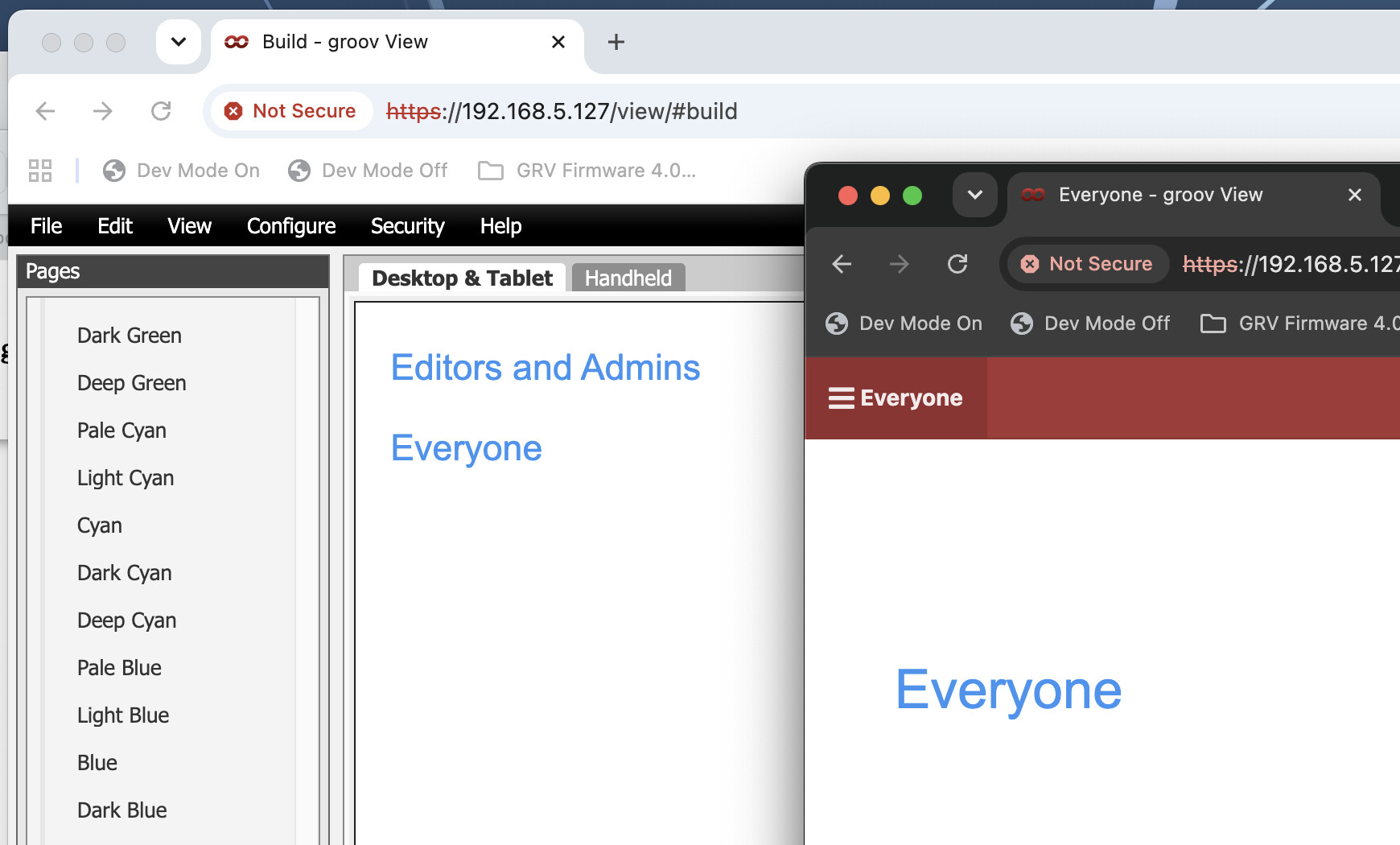
Here’s what it looks like when I tried it. The foreground window is signed in with an operator user and can’t see the link to the Editors and Admins page.

 )
)