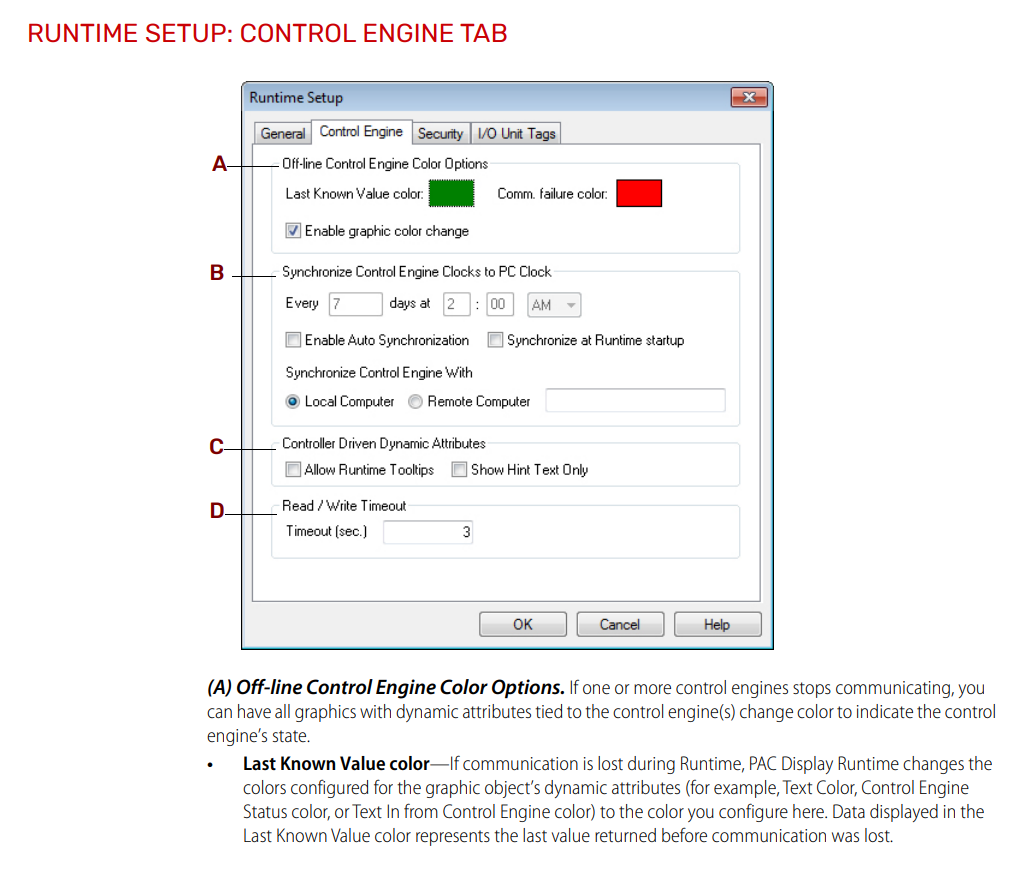
You are seeing the colors that were configured in the Runtime setup for the Control Engine tab (PAC Display User’s Guide). Red is the default communication failure color.
I checked our versions of PAC Project Runtime, the colors seems to match the defaults ‘Green, Red’. I see where the ‘RED’ indicates ‘Comm failure color’. But we also will see ‘WHITE’, even though the ‘Last Know Value color’ is green. It seems the ‘white’ indicates that the signal value is “stale” or “has a communication issue. The ‘white’ color seems to only happen with [AI] Analog Input signals. It is often connected to low 5.0 volts powering the Rack, or something with that specific AI card, or the connections/connector of that particular AI signal.
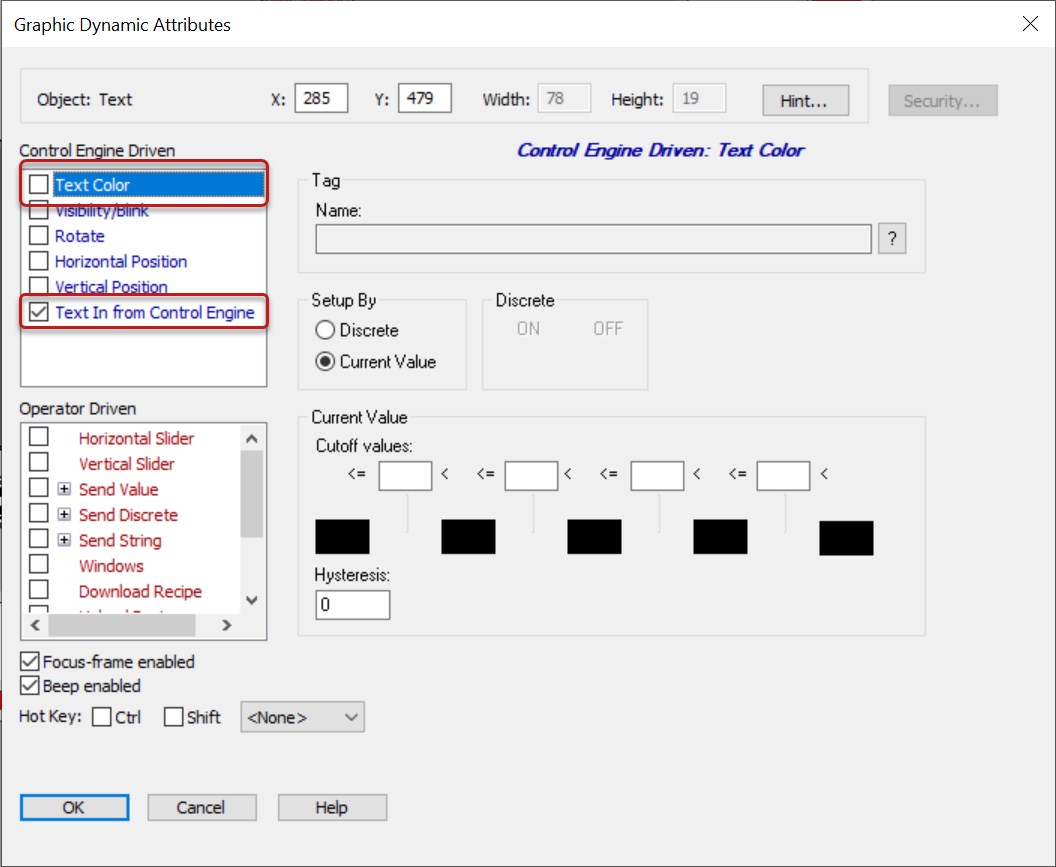
I was also trying to figure out where the ‘White’ color originates from, if not the PAC Display ‘Runtime’ setup / ‘Control Engine Tab’
Knowing these colors and what they indicate helps our field service technician’s troubleshoot issues.
Possibly send them information ‘RED’ = ‘Comm failure color’, ‘GREEN’ = ‘Last Known Value color’ and ‘WHITE’ = _________________