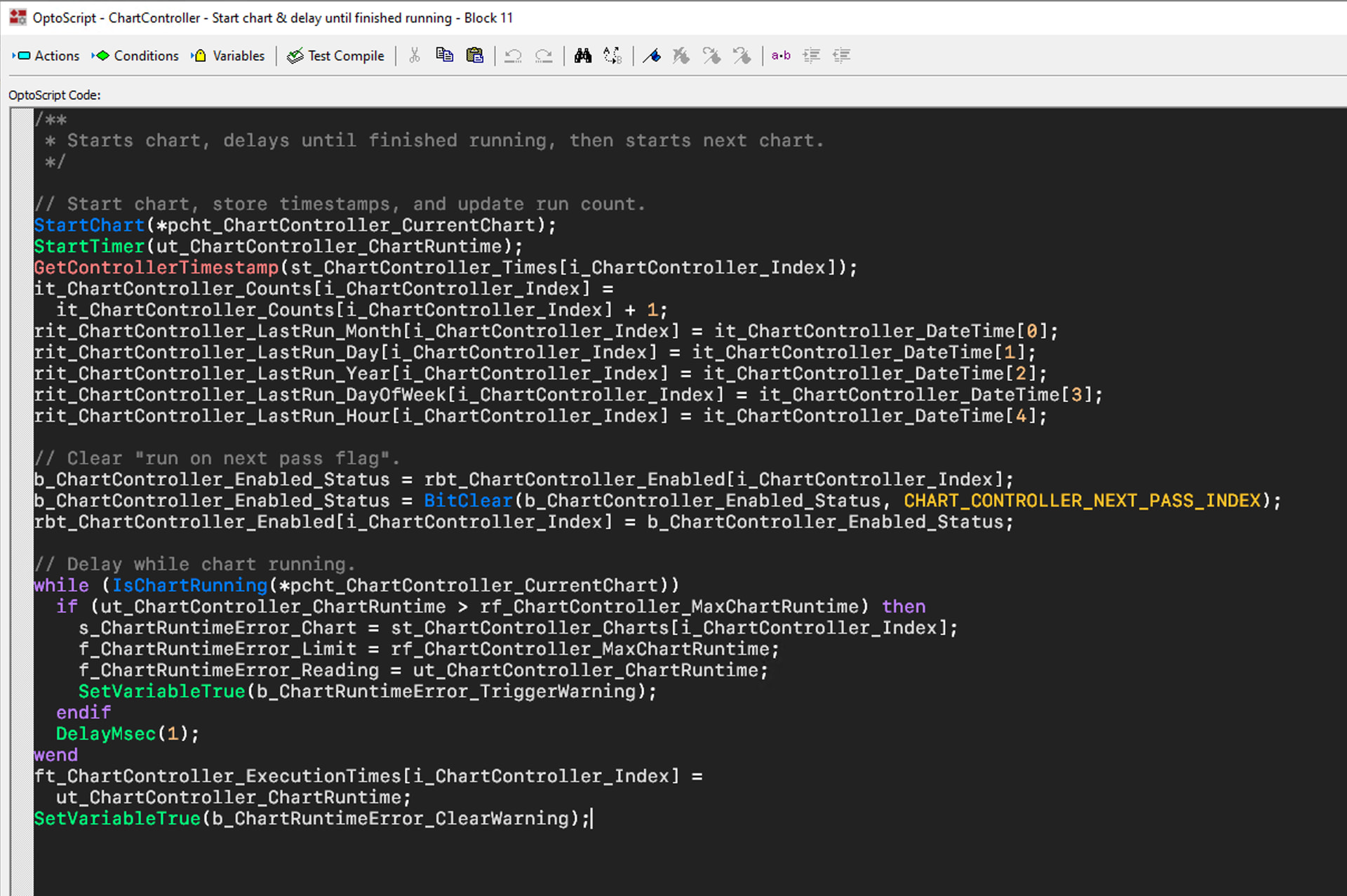
I am a very frequent user of PAC Control and do a lot of OptoScript. I’ve always documented my code relatively well, but now am trying to do an even better job. In the process of documenting I’ve noted that I can use some keyboard shortcuts (e.g.² ³ ° etc) for non-standard characters but not others. I’m assuming this is due to the font that is actually used.
So… can anyone tell me what font that is so I can see what I can actually put into the comments, and by extension, are there any codes that I should not use?
If you look in C:\ProgramData\Opto 22\PAC Project you should see a file called Optoscript.ini. I would always back up the original, but then there are all kinds of things you can do, from changing the font family, size, colors, etc.
It’s been a while since I did it and I haven’t kept up with it, but at one point I defined all of the built-in Opto commands as either a function (blue text in OptoScript) if it returned a value or a procedure (green text in OptoScript) if it did not return a value. Additionally, I added all of my subroutines to the file and highlighted subroutine calls in a different color. You can do a lot, and it makes a big difference IMO.
Yes, thanks Varland. I have been having problems reading script for a while, especially when I have the display text res set to 100% versus 125%. It makes a big difference, especially when you want your screens at 100% so you can get more of the chart displayed, while still being able to read your script.