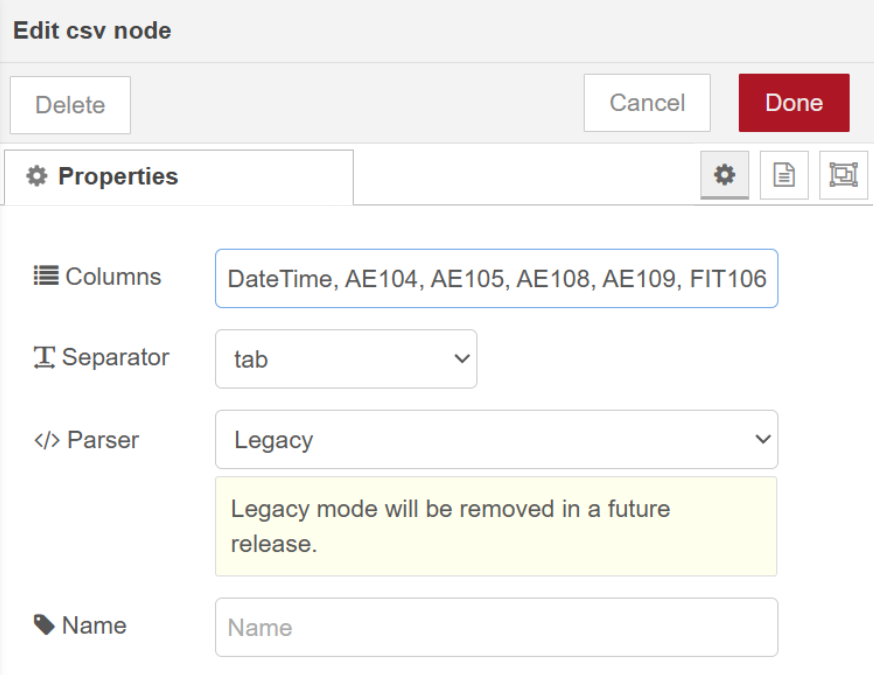
Hi,
This stems from another post, I am new to node-red
I have set up a node red flow to bring in data from codesys using OPC-UA. This works well.
I am then compinging all the data to produce a csv file and plave this every week into a USB key on a Groov EPIC. This also works.
But, the format that the csv file puts out still needs some editing to be able to do anything with.
The problem I am see is that the CSV file does not add column name.
When I select the option in the csv node, the flow does not produce the csv file.
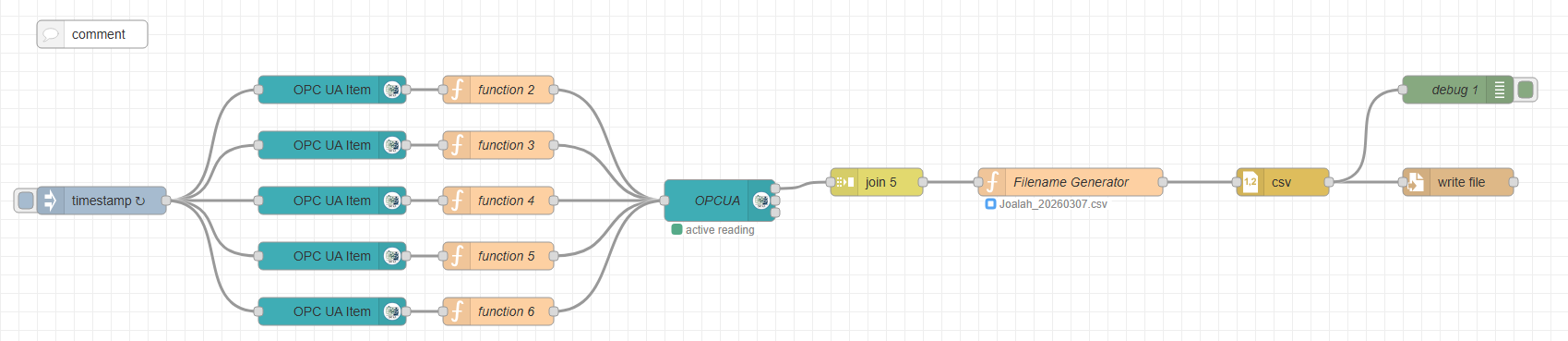
The full flow I have is as follows:
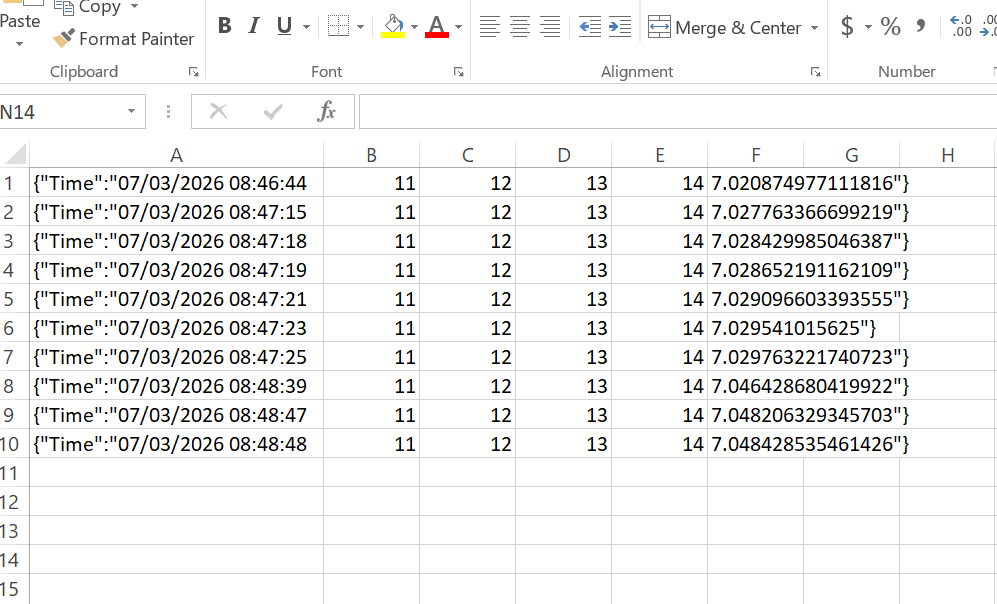
The csv file that is produced is as follows
issues that I see:
- No column headers
- The first column has this {“Time”:" at the start
- Last column ends with "}
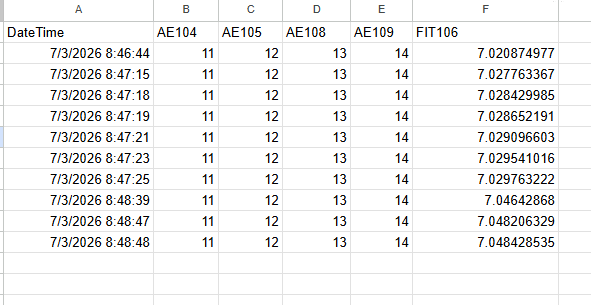
I would like to have the csv file look like the follwing.
I will detail the each of the node, just if someone can see any issue.
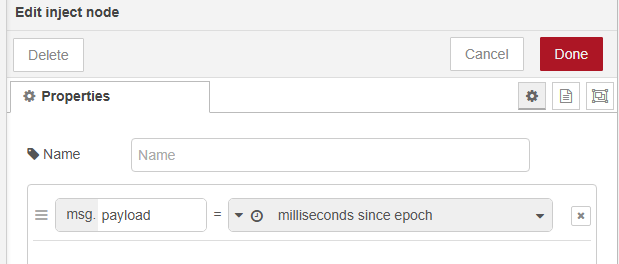
Inject Node:
Note: I have omitted the OPC UA Item, Function and OPCUA nodes
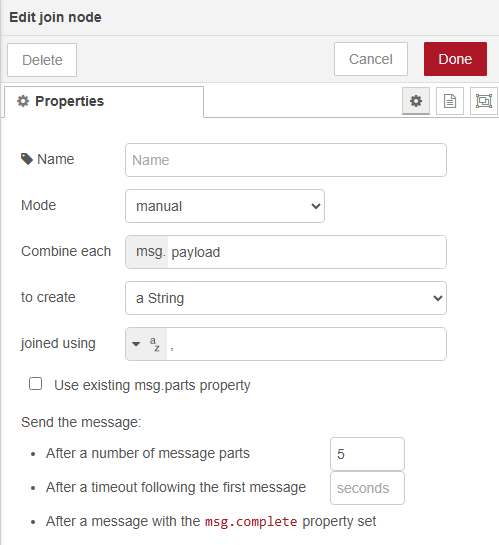
Join Node:
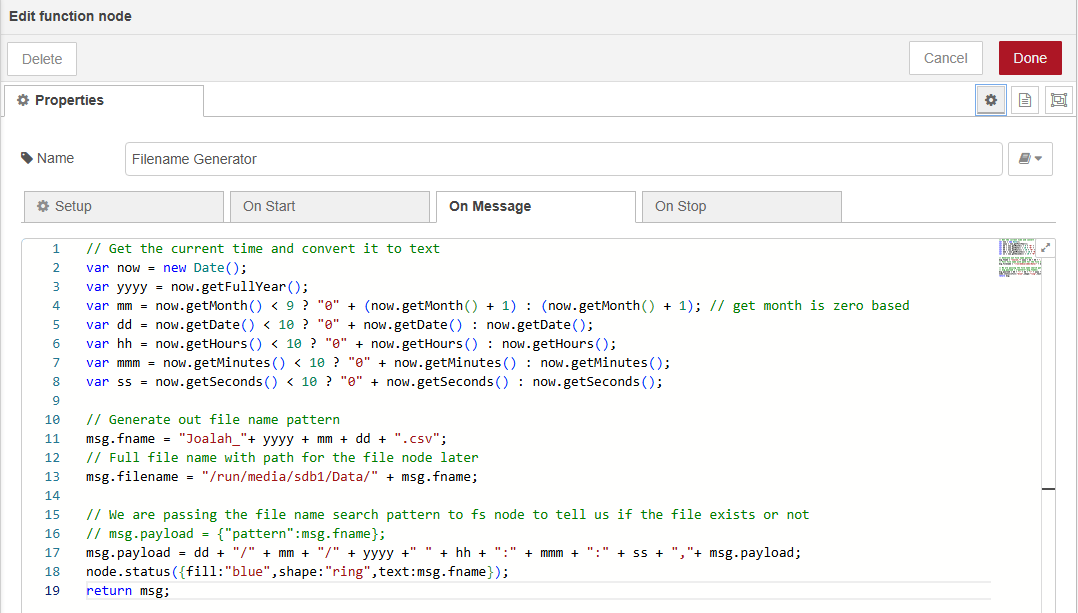
Filename Generator Node:
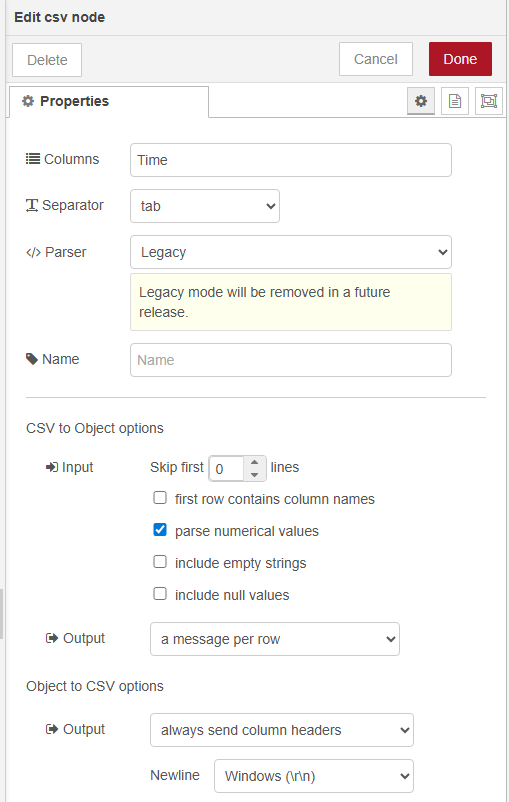
csv Node:
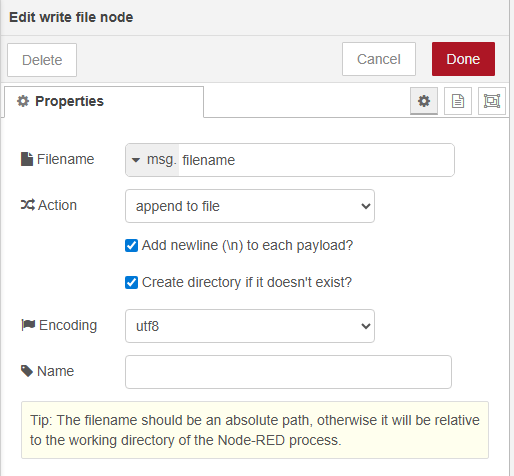
Write file name:
All suggestions are welcome
Hi Tom, what is the exact output of debug 1? Can you copy and paste it directly here?
This should be an easy fix once I know exactly what is being fed into the file node.
1 Like
Hi,
The output in the debug node is:
Time: “10/03/2026 18:18:28,11,12,13,14,14.64121150970459”
If I look at the complete message it is:
: msg : Object
object
_msgid: “b49fa33d97289619”
payload: object
Time: “10/03/2026 18:26:53,11,12,13,14,14.753425598144531”
topic: “ns=4;s=|var|Opto22-Cortex-Linux.Application.Global_Variables.FIT106.Flow_Today_VO”
datatype: “Float”
browseName: “”
statusCode: object
value: 0
serverTimestamp: “2026-03-10T07:26:53.919Z”
sourceTimestamp: “2026-03-10T07:26:53.919Z”
fname: “Joalah_20260310.csv”
filename: “/run/media/sdb1/Data/Joalah_20260310.csv”
filecontent: “11,12,13,14,14.753425598144531”
columns: “Time”
parts: object
id: “b49fa33d97289619”
index: 0
count: 1
The first thing to come to mind is that the CSV node needs all the column names in that top text field, that might resolve your leading {"Time":" and trailing "} issue.
Also since you are appending to the file, not saving the contents and overwriting it each time, there are two considerations: When you delete / save / restart the file you will need some way of injecting the column names as a row, so that it appears at the top. You said it was once every week, can you have some trigger go into the flow after you unmount the key and start the next week’s log?
The other option being that you could save all the file content to a flow or context object and overwrite the entire file each time, although depending on the file size that could be less efficient… Hard to say without testing it.
You may also want to consider finding some way of monitoring the file size or remaining storage space. If you keep appending to the file without any catches it’s possible to fill the USB storage which could cause issues. This is system critical when writing to onboard storage, so less of an issue using a USB key, but still worth keeping in mind.
If you do not unmount then your filename path (“/run/media/sdb1/..") will not be static.