We have customers using groov View as their HMI. However, whenever we update their groov View to a newer version, all the trend data gets lost.
Is there any way to restore or retain this data during or after the update? Some of our customers have months’ worth of trend data, and losing it during the upgrade would be a significant issue.
On GRV-EPIC devices, groov View trend data should be retained automatically during a firmware upgrade.
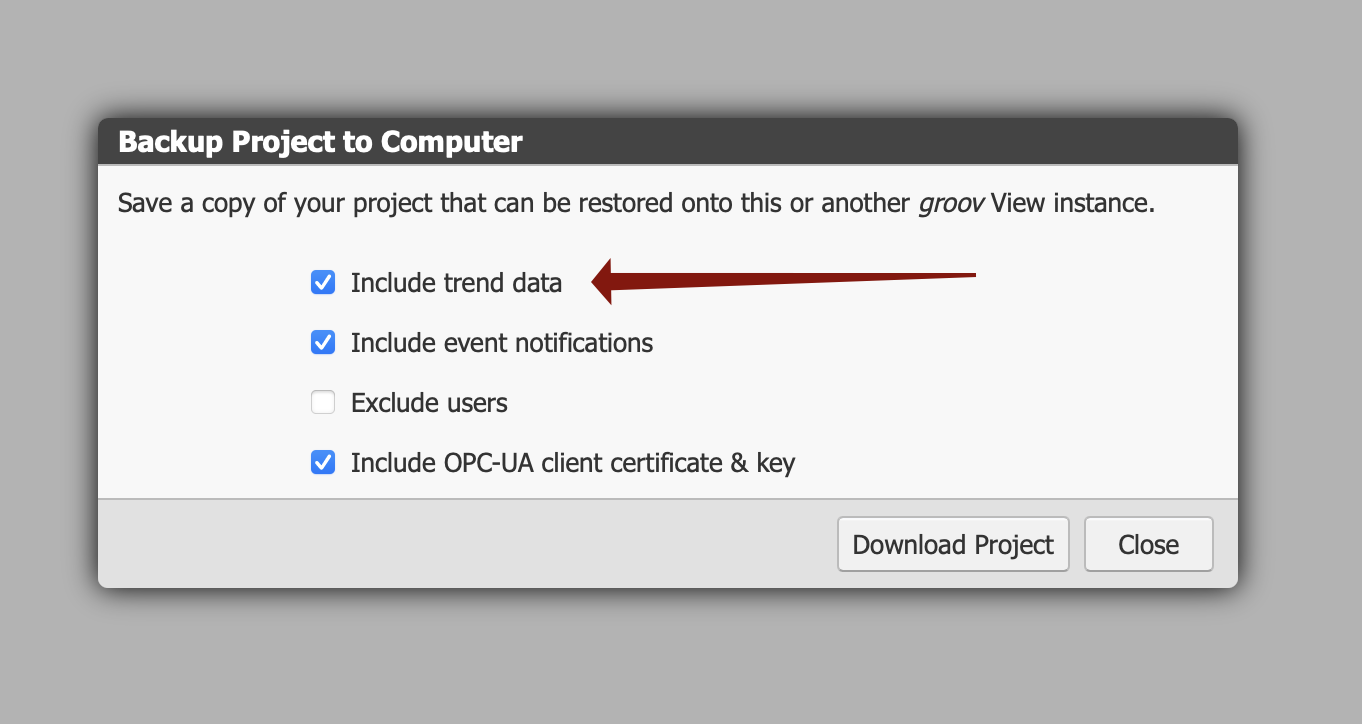
On GROOV-AT1, GROOV-AR1, and groov Server for Windows, trend data should also be retained during a software upgrade, but you can choose to include it in the project backup when backing up the project; just make sure this option is selected when backing up the project.
You can manually back up your groov View project on GRV-EPIC the same way to make sure you have a copy of your data and restore it after upgrading if for some reason the trend data was lost.
We have our product used by multiple customers, they ask for some new feature, so we update our pac control and groov view to support the new feature. Now we update all our customers from older groov view to new groov view project (restore) and we lose all the trend data.
Ok, I was afraid of that. groov View isn’t made to work like that: restoring a project onto a groov View server replaces the current project, instead of just updating it. That means it resets any trend data (and replaces it if you’ve included trend data in your backup).