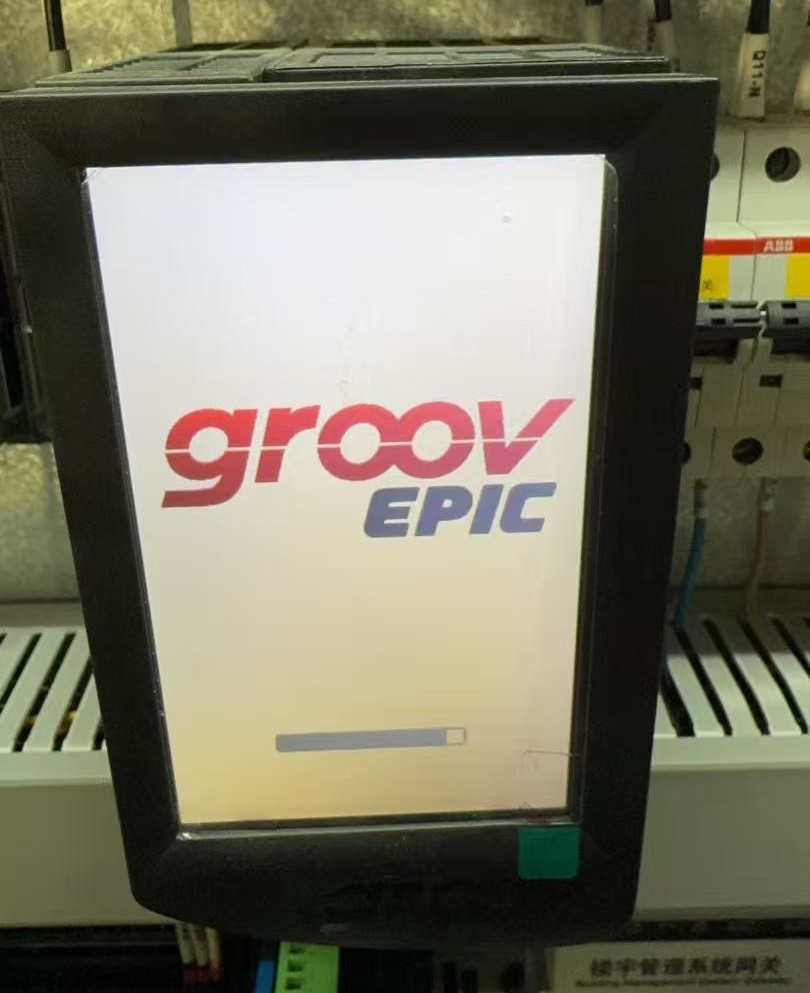
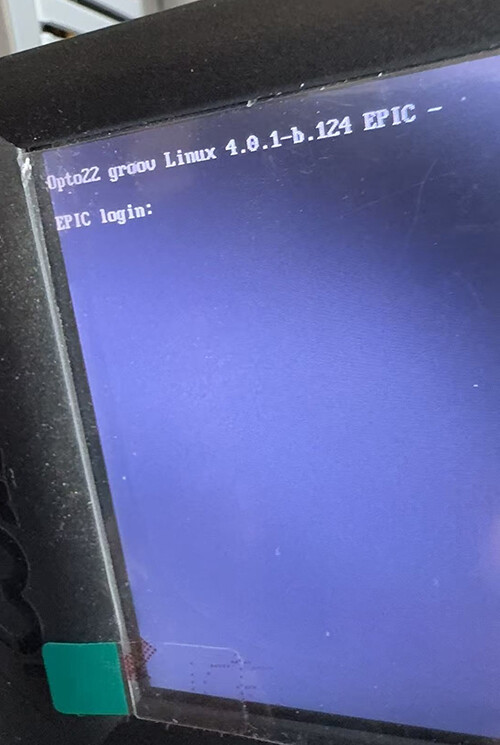
Hello experts, EPIC-PR1 fails to boot normally, displaying the effect shown in the image. However, SSH access remains functional, and internal processes are still running. In this situation, are there any alternatives to restoring factory settings?

Hello experts, EPIC-PR1 fails to boot normally, displaying the effect shown in the image. However, SSH access remains functional, and internal processes are still running. In this situation, are there any alternatives to restoring factory settings?
This is a new one I haven’t seen before…
First things first, did you configure it with shell access and a new Linux account?
Can you log into groov view or groov manage from another PC on the network?
groov View and groov manager are inaccessible, displaying “Connection denied.”
Yes, we have configured SSH and can access Linux normally.
Actually, I am conducting Python test using this PR1 device. I installed Python 3.9 via altinstall to access more essential Python packages. However, I noticed it still displayed missing system packages when running certain programs. Consequently, I installed several system packages, including gcc-10-base, libgfortran5, libopenblas, and others. I’m unsure if these actions caused the device to black out, but I performed these steps on 2 EPIC devices. The other device did not experience the black screen issue.
Unfortunately it sounds like you will need to perform a reset. Something seems to be corrupted preventing it from fully booting.
By any chance do you have the steps you took on these two systems documented?
I’m curious how you went about getting 3.9 and what specific additional system packages you installed.
—–
That said, I agree with Norm — given the custom changes to the system I can’t say for sure which command disabled groov Manage / the front display, or how to undo it. Your best bet is to perform a system restore, reapply the firmware update, and reconfigure your packages.
Terry & Norm,Thank you for the information.
Our ultimate goal is to test whether EPIC can run some lightweight AI algorithms.
We know EPIC 4.0 has default Python version 3.10, and it uses the armv7l/32-bit architecture. However, we found this version cannot install some essential packages like numpy, scipy, pandas, scikit-learn, etc. Meanwhile, Python 3.9 has suitable packages available for download on the piwheels page. We installed Python 3.9 using “altinstall” (enabling coexistence with Python 3.10), but AI programs still failed to run, reporting missing system packages and dependencies. Consequently, we reinstalled the following: libgfortran5 → gcc-10-base → libgcc-s1→ libopenblas0-pthread → libopenblas-pthread-dev→ libopenblas-dev.After this, the scikit-learn program ran normally. However, a black screen issue suddenly appeared…….
___________________________________________________________________________________________
Just yesterday, our partner resolved this issue. The root cause was that the NGINX service on the EPIC device failed to start normally. After modifying the NGINX configuration file and permissions, groov manager/groov view/python3.9 are now all accessible.We are unsure whether the issue has been fully resolved and are monitoring the equipment for any other abnormalities.Thanks again.